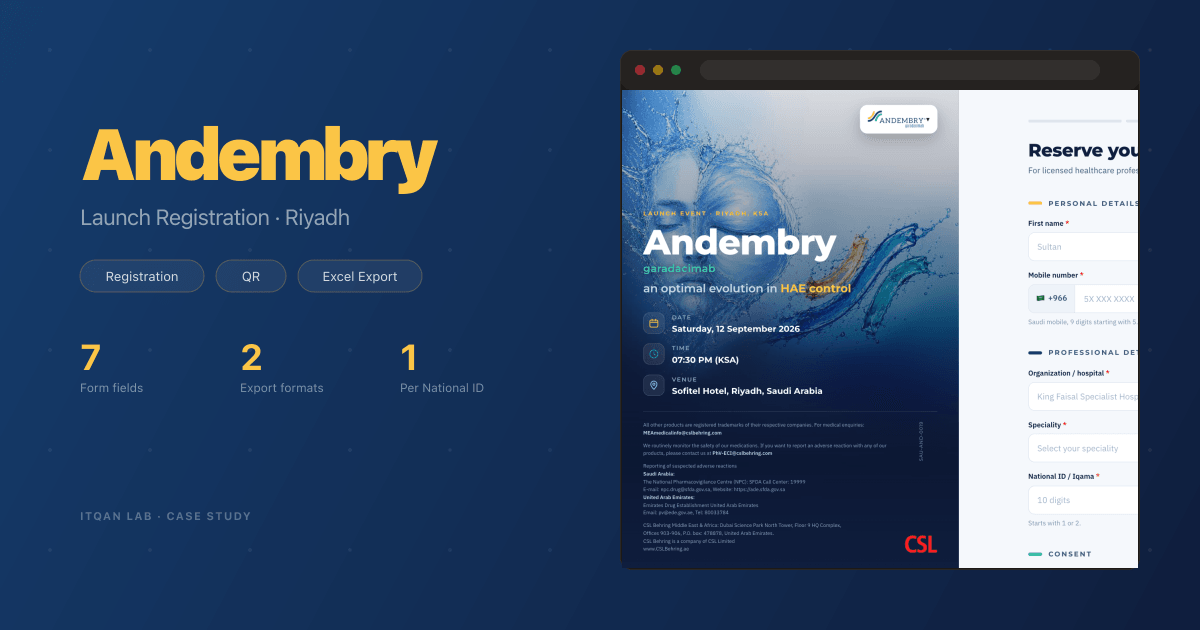
Andembry Launch: Event Registration for CSL Behring in Riyadh
For the Andembry launch in Riyadh, we built the registration page doctors reached from a QR on the invitation, with Saudi field rules checked twice, a consent flow, and a private admin that exports a styled Excel sheet.
The Challenge
CSL Behring launched Andembry in Riyadh on 12 September 2026, at the Sofitel, for doctors who treat hereditary angioedema (HAE). The printed invitation was done. What it lacked was a place to register. Doctors needed a page they could open from a QR code on the invite and finish in a minute on their phone, and the event team needed the list in a file they could open straight away.
Everyone attending is a practising doctor in Saudi Arabia, so every field has a known shape: a Saudi mobile, a National ID or Iqama, a Saudi Commission for Health Specialties (SCFHS) number. Get one of those wrong and it shows up at the door.
What We Built
A registration page in the invitation’s own identity, a small backend that stores each registration, and a private admin for the event team. Colours and logos were taken straight from the invitation PDF, not redrawn, so the page matches the print.
A Page That Looks Like the Invite
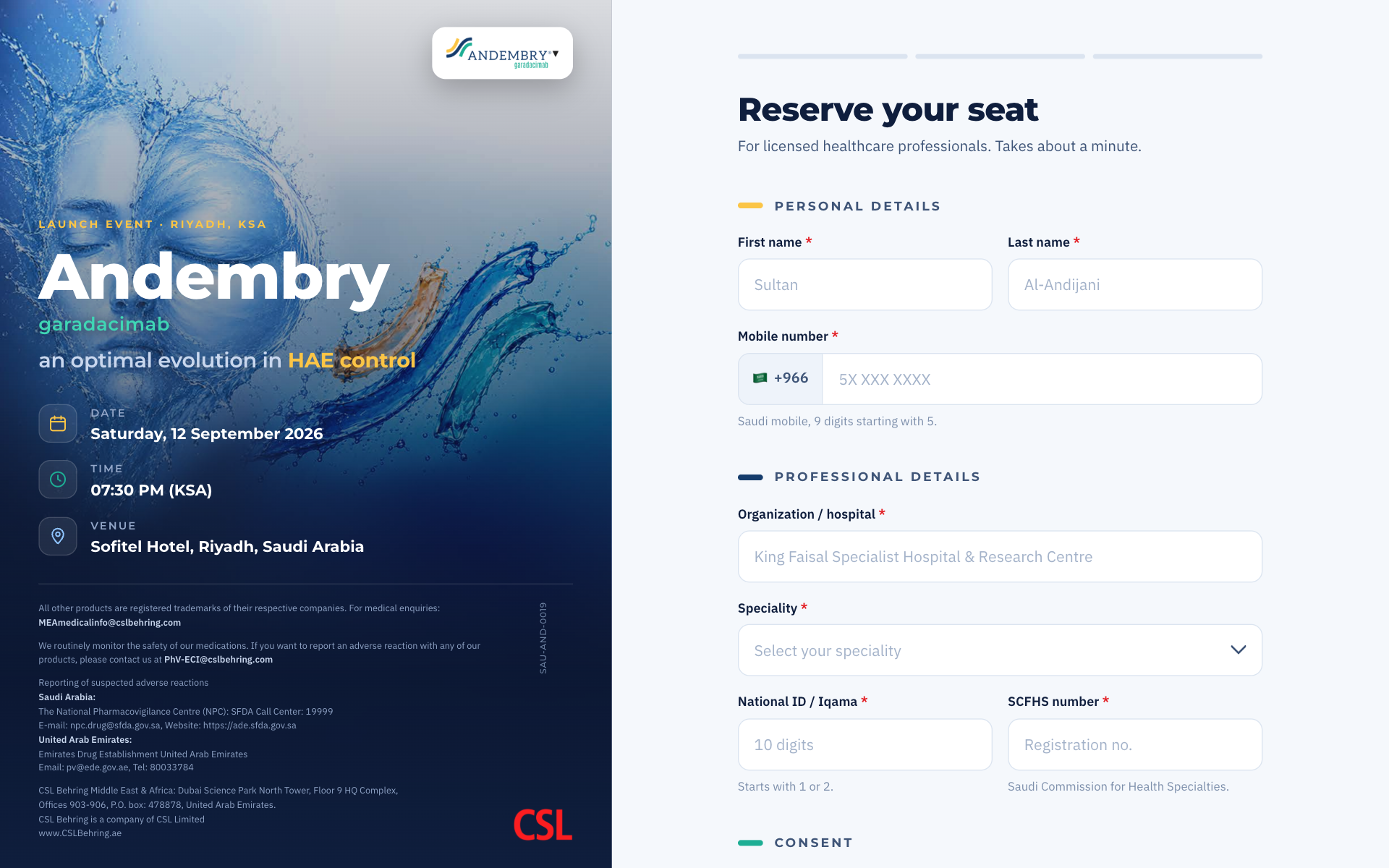
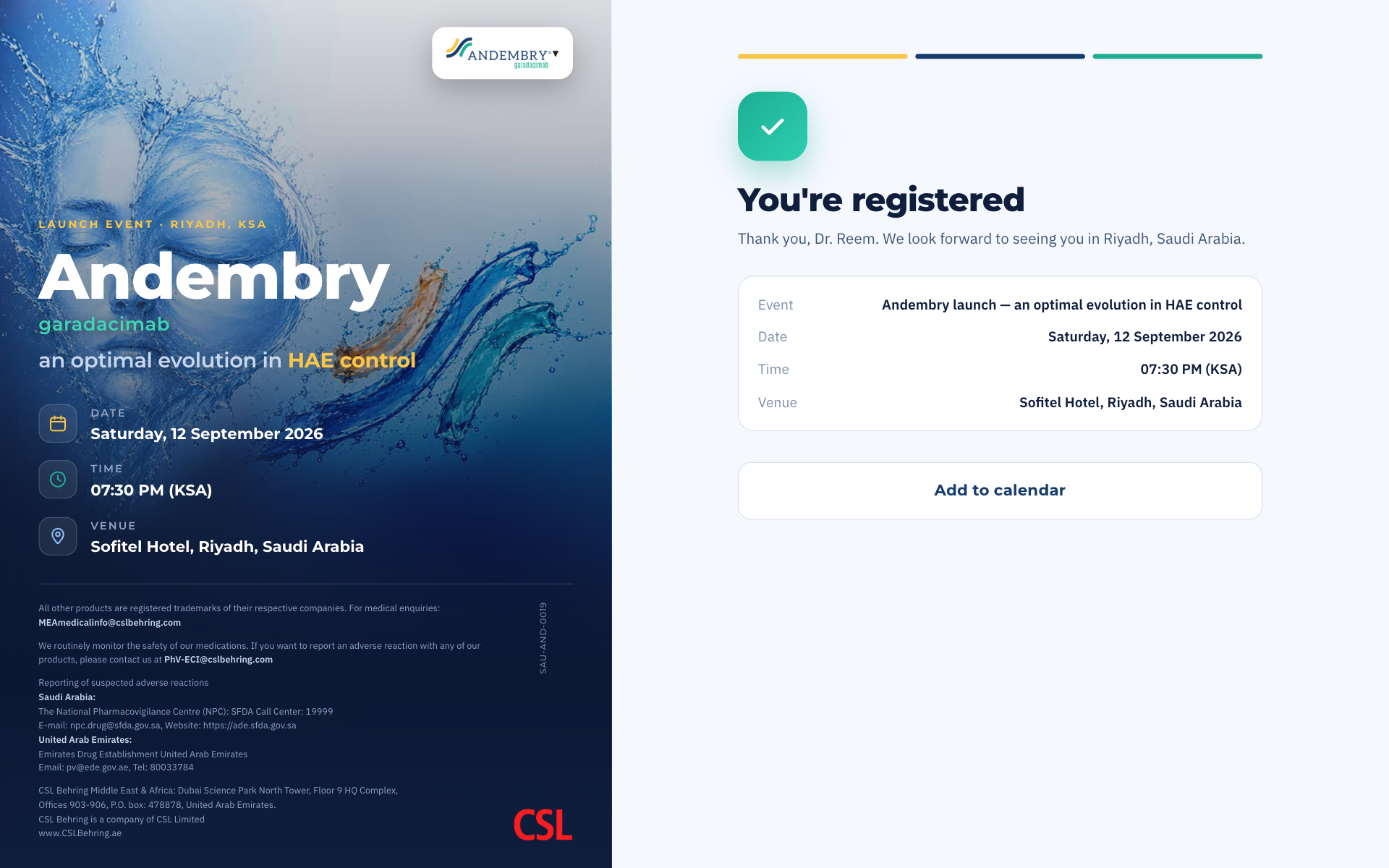
On a desktop the page splits in two. The invitation sits on the left with the date, time and venue, and the form sits on the right. Under the invitation runs the legal and adverse event reporting text, set line for line from the approved file, with the approval code turned vertical on the margin. That layout came from the client’s review of the first version.
The Form on a Phone
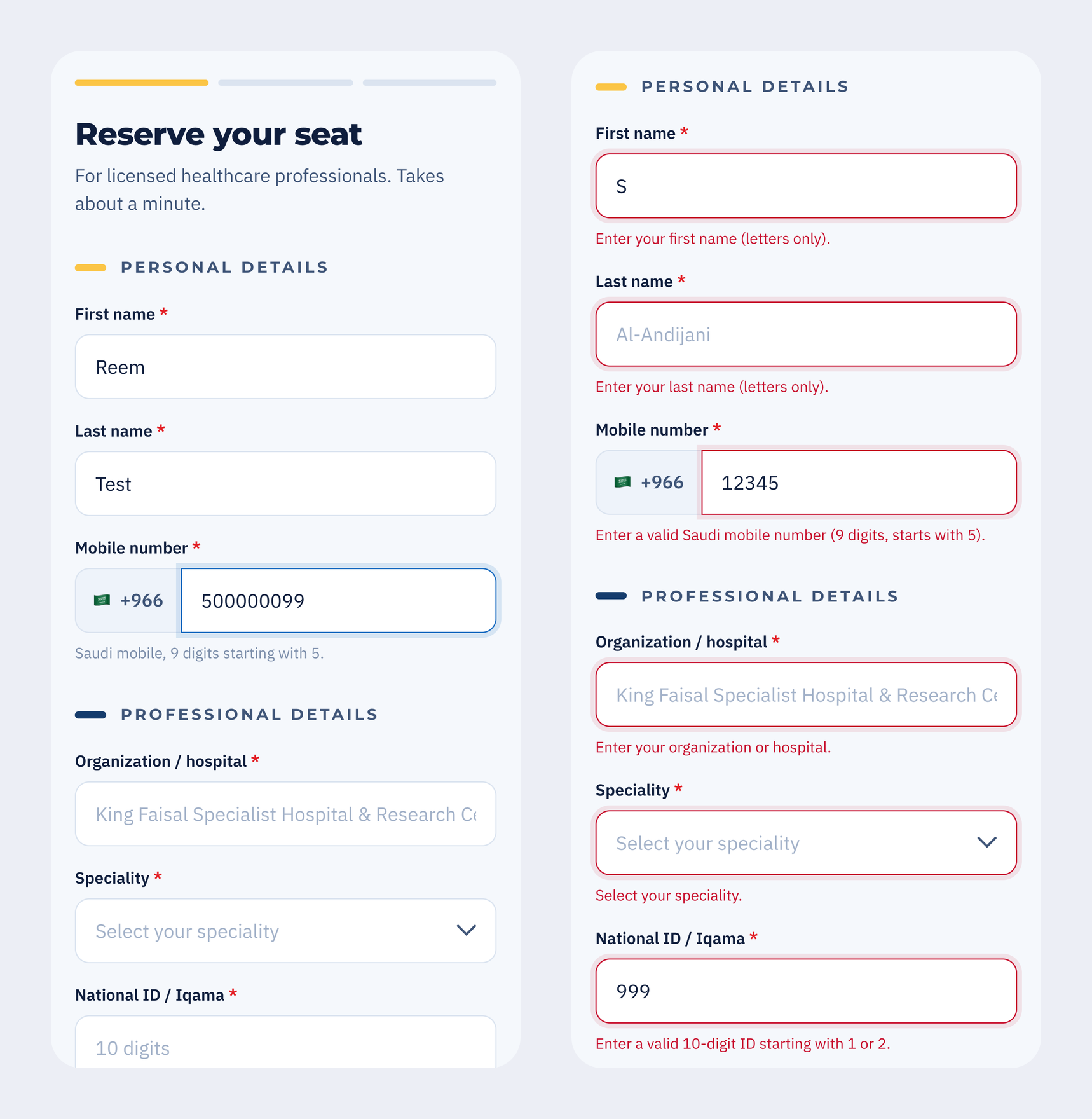
Most doctors arrive from the QR code, so the phone is the main screen. The form has three parts: personal details, professional details and consent. Above it sit three strokes in the invitation’s colours. Each one fills when its part is complete, so a doctor always knows how far they are. The screens and loops here use test data.
Each field is checked when the doctor leaves it, and the message says exactly what is needed: “9 digits, starts with 5”, not “invalid number”. The mobile field takes the number however it is typed, with the country code, a leading zero or neither, and stores it one way.
Consent
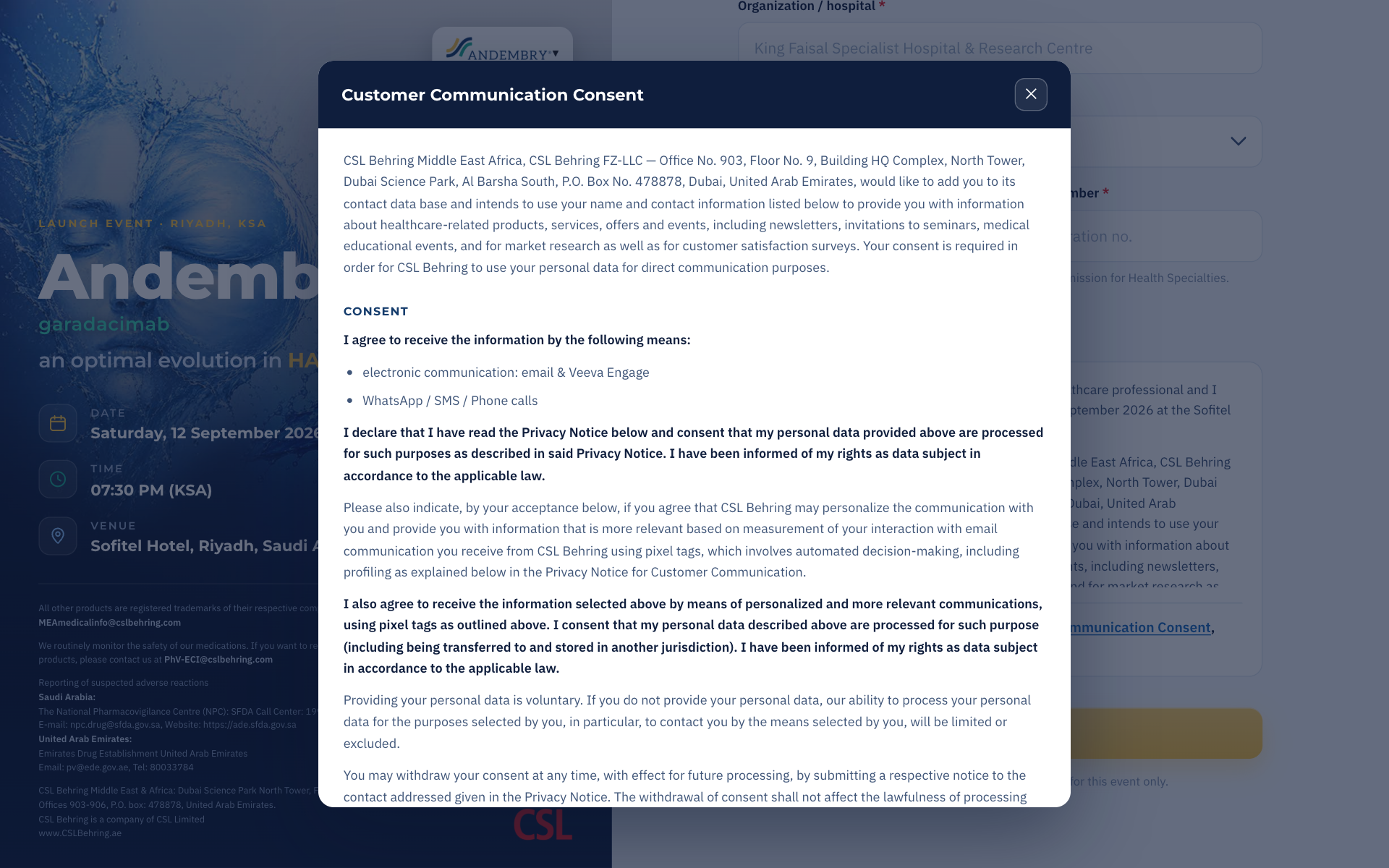
The communication consent and privacy notice is long, and it cannot be cut. It opens in its own window from a link next to the tick box. The form stays short and the full text is one tap away. Nobody registers without ticking it.
After Registering
The confirmation greets the doctor by name, repeats the event details, and offers “Add to calendar”. The calendar file is set to Riyadh time, so the slot lands right whatever time zone the phone is in.
The Admin
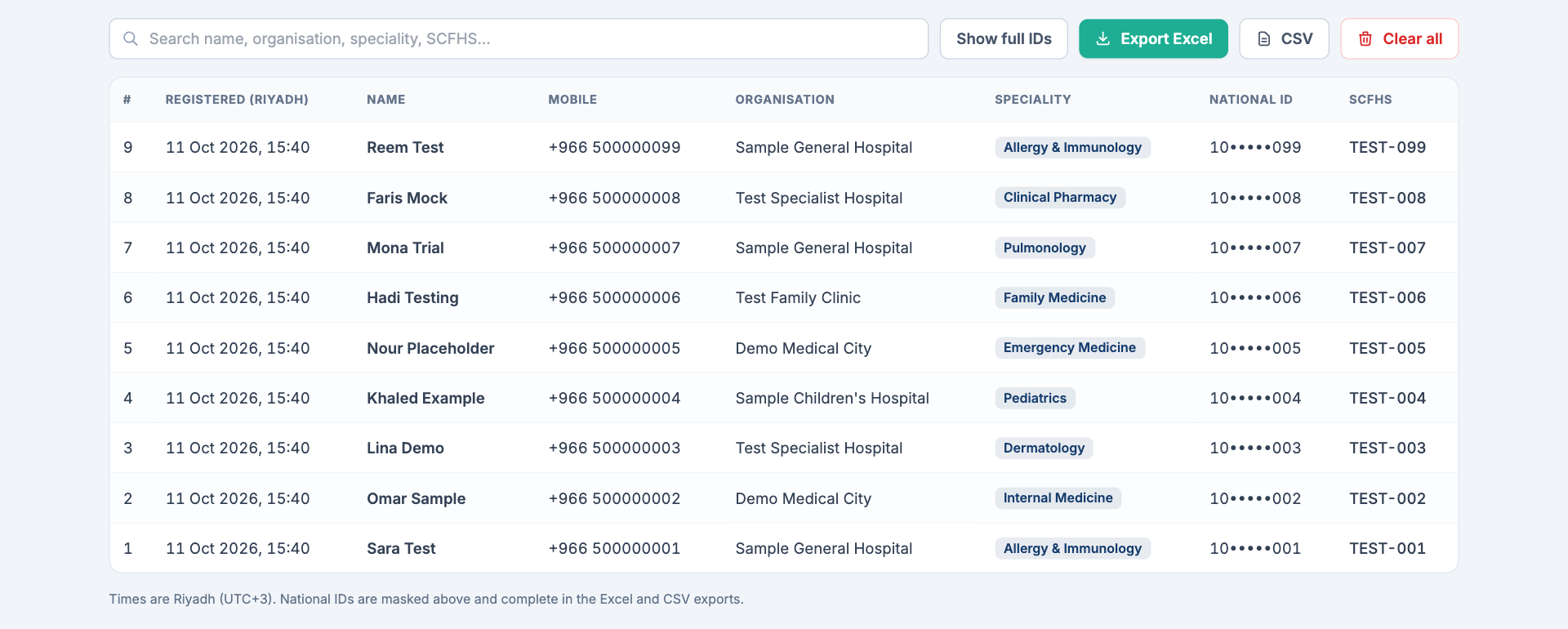
The event team signs in with a password, on an address apart from the public page. The table searches as you type, across name, organisation, speciality and SCFHS number. National IDs are masked on screen, shown in full with one button, and complete in the exports. “Clear all”, for wiping the test runs, only unlocks after you type DELETE.
An Excel File That Is Ready to Use
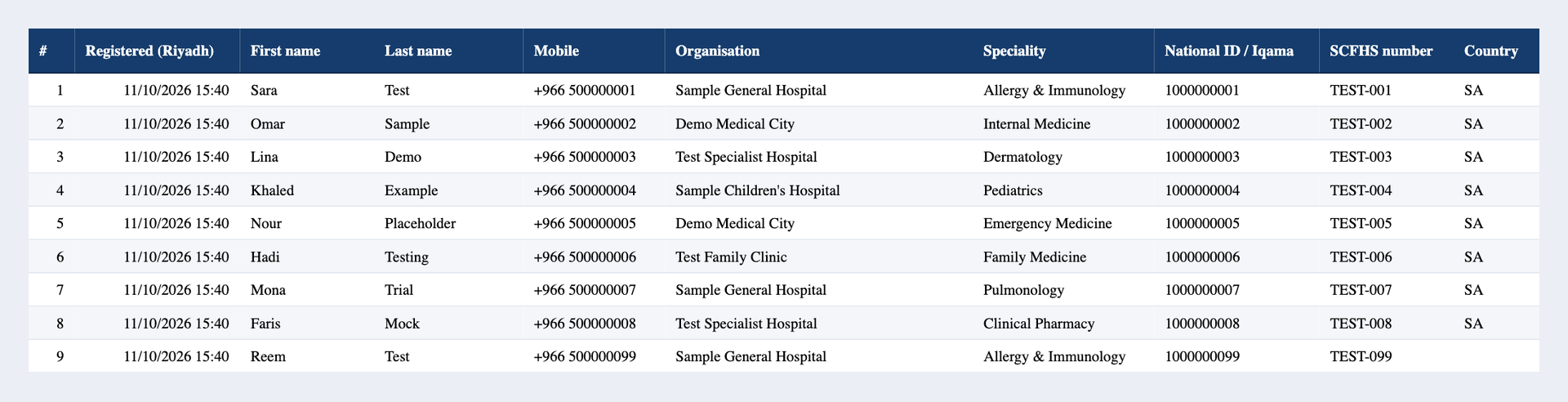
The export is an Excel workbook with two sheets: the registrations, and a summary with counts by speciality and by organisation. Dates are real date cells in Riyadh time, so they sort and filter. Mobile and ID are written as text, so Excel never drops a leading + or 0. A CSV is there too, for anything that cannot open Excel.
The Details That Matter
Every rule in the browser has a twin on the server, and the server’s copy is the one that decides. Skip the page and post straight to the backend, and the same rules turn you away.
A National ID can only be on the list once. If a doctor taps Register twice, or signs up again from another device, they see the normal success screen and no second row is added. They are already registered. An error message would not help them.
The SCFHS field took digits only in the first version. Then it turned out real numbers can carry letters and hyphens. We changed the rule on the page and on the server together.
The page and backend run on Cloudflare. Deploys go through one script that checks the live routes afterwards. A half deploy can report success while shipping the page without its backend, and the script catches that on the spot.